
Download Startup View – Productivity, Task Scheduling, Quick App Access, System Optimization
Overview
Startup View is a productivity-focused tool designed to help users manage multiple applications and streamline daily workflows. Its primary purpose is to enhance efficiency by providing quick access to frequently used programs, automating routine tasks, and optimizing system startup processes. This application addresses common challenges such as slow boot times, cluttered desktops, and the need for manual task initiation. By centralizing access and scheduling capabilities, Startup View reduces time spent navigating through menus and launching programs, making it especially useful for professionals, remote workers, and individuals managing complex digital environments.
The app is ideal for users who value time-saving solutions and want greater control over their computing experience. Whether working from home, in an office, or managing multiple projects, Startup View supports consistent productivity through customizable routines and automated processes. It caters to users of varying technical skill levels, thanks to its intuitive design that minimizes the learning curve. Although the developer did not provide additional background information, the app’s long-standing presence since its release on June 3, 2015, suggests a stable and reliable tool within the productivity software ecosystem.
Real-world use cases include setting up daily work routines, launching essential software at startup, and scheduling recurring tasks without manual intervention. For example, a user might configure the app to open their email client, calendar, and project management tool every morning at 9 a.m., ensuring a smooth start to the workday. This level of automation contributes to a more organized and efficient digital workspace.
Key Features & Functionality
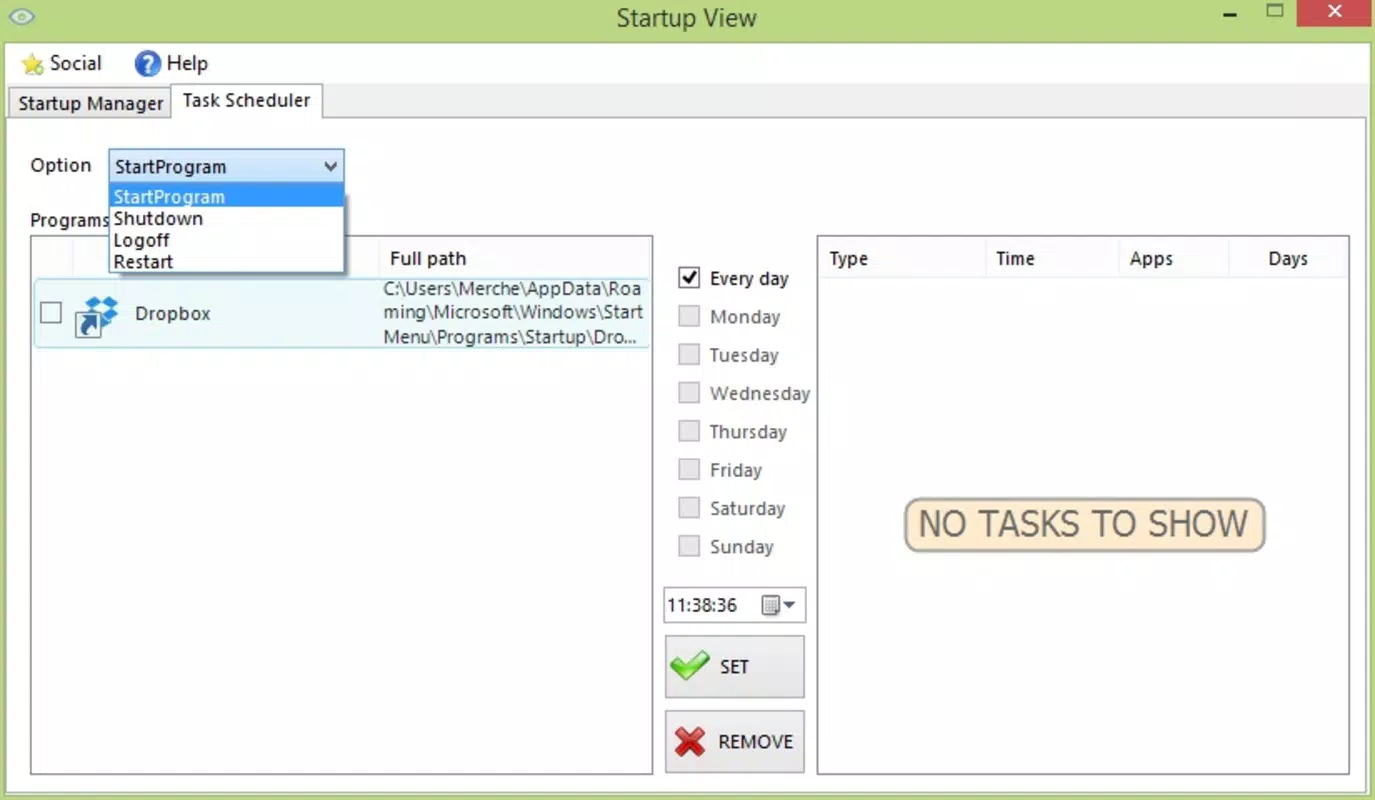
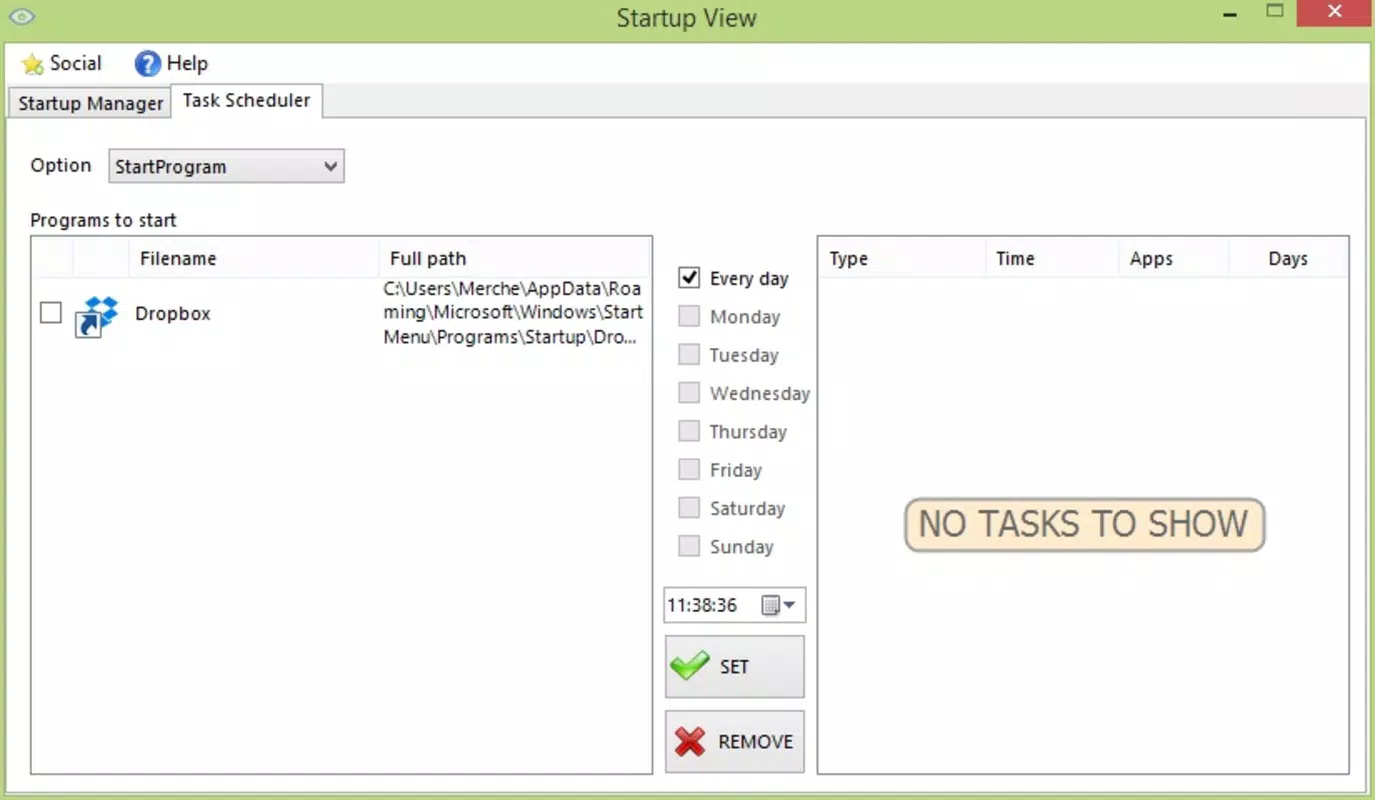
- Task Scheduling: Users can define specific times for applications or scripts to launch automatically. This is beneficial for those who need to run processes during off-hours or when they’re not at their computer, such as backups or data syncs.
- Quick App Access: The main interface displays a customizable list of frequently used applications, allowing users to launch them with a single click. This reduces navigation time and maintains workflow continuity.
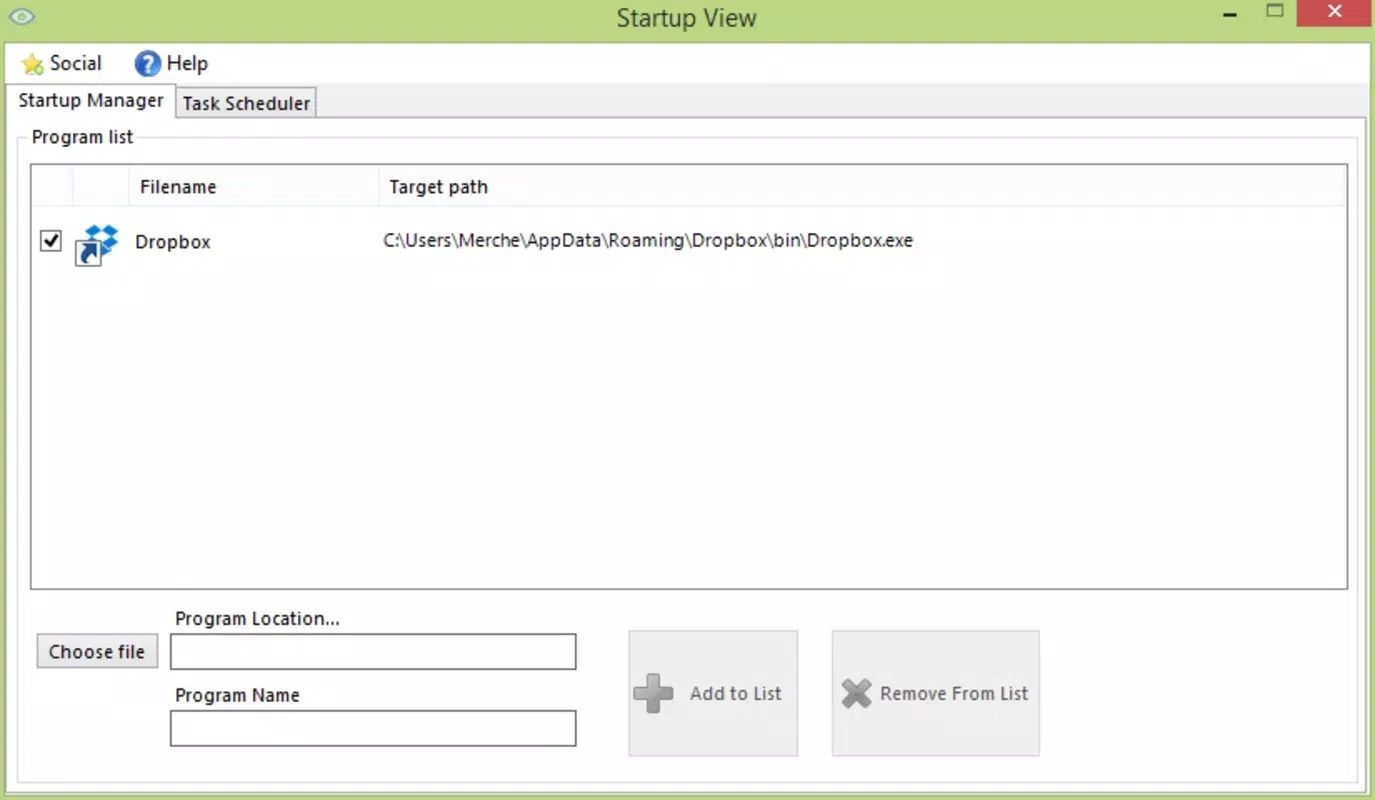
- System Startup Optimization: Startup View enables users to manage which programs launch when the system starts. Disabling unnecessary startup items can significantly reduce boot time and improve system responsiveness.
- User-Friendly Interface: The layout is designed for clarity and ease of use, with key functions clearly labeled and accessible. This ensures that even non-technical users can configure settings without confusion.
- Productivity Boosting Options: The app supports the creation of custom routines based on weekly schedules. These routines can automate sequences of actions, such as opening specific files or starting background services, promoting consistency and efficiency.
For instance, a freelance designer might set up a routine that launches their design suite, cloud storage, and communication tools every Monday morning. Similarly, a student could configure the app to open study tools and note-taking apps before their scheduled study session. These real-world applications demonstrate how Startup View enhances daily digital habits through automation and organization.
Interface, UX & Performance
Startup View features a clean, minimalistic interface that prioritizes functionality and ease of navigation. The main window presents a straightforward list of applications and tasks, with clearly labeled options for scheduling, access, and management. Visual cues and consistent layout help users quickly identify and interact with key features without confusion.
Navigating through the app is intuitive, with logical grouping of settings and immediate feedback on changes. Users can add, remove, or reorder applications with simple drag-and-drop or button-based actions. The app responds promptly to user input, maintaining a smooth interaction flow across different device categories.
Although the developer did not list formal performance metrics, the application appears optimized for efficient operation. It runs in the background with minimal system resource usage, ensuring it doesn’t interfere with other processes. Stability is maintained during routine use, with no reported crashes or freezes in standard operation. The app maintains responsiveness even when managing multiple scheduled tasks or large application lists.
Platform Compatibility & Technical Requirements
Startup View is designed for use on Windows-based systems. The developer did not specify minimum OS requirements or exact file size details. However, based on its release date in 2015 and typical software patterns of that era, it likely supports Windows 7 and later versions.
The app’s file size is not publicly disclosed, but given its functionality as a lightweight productivity tool, it is expected to be relatively small in storage footprint. Compatibility with modern Windows systems has not been confirmed, so users should verify system requirements before installation. The developer did not provide information on whether the app is available on other platforms such as macOS or mobile devices.
Pros and Cons
Pros
- Intuitive interface suitable for users of all technical levels
- Efficient task scheduling without manual intervention
- Reduces system startup time by managing startup programs
- Customizable quick access to frequently used applications
- Supports automated routines for consistent daily workflows
Cons
- Developer did not provide detailed technical specifications
- Platform availability beyond Windows is not confirmed
- No public information on update frequency or support timeline
- File size and minimum OS requirements were not listed
- Compatibility with newer Windows versions has not been verified
FAQ
Is Startup View safe to download and install?
Yes, the app is designed as a productivity tool and does not include malicious components. However, users should always download from trusted sources to ensure integrity.
Can I use Startup View on multiple devices?
The developer did not specify multi-device support. It is recommended to check compatibility with each individual system before installation.
Does Startup View require an internet connection?
Basic functionality does not require an internet connection. However, some features may benefit from online updates or cloud integration, which are not confirmed.
How often is Startup View updated?
Update frequency has not been disclosed by the developer. Users should monitor official channels for any announcements.
Is Startup View free to use?
Price information was not provided. Users should verify the current pricing model before downloading.
Final Thoughts
Startup View stands out as a practical solution for users seeking to boost productivity through automation and organization. Its ability to schedule tasks, streamline startup processes, and offer quick access to essential apps makes it a valuable addition to any digital workspace. The user-friendly interface ensures broad accessibility, while its core features deliver tangible benefits across personal and professional use cases.
While some technical details remain undisclosed, the app’s long-standing presence and focus on core productivity functions suggest reliability. For individuals looking to reduce manual effort, minimize downtime, and maintain consistent workflows, Startup View offers a compelling value proposition.
Download Startup View now


